Delivery & Quality
Test Management
Each project can carry its own set of test cases, independent of the task list, so quality tracking doesn't get tangled up with delivery tracking.
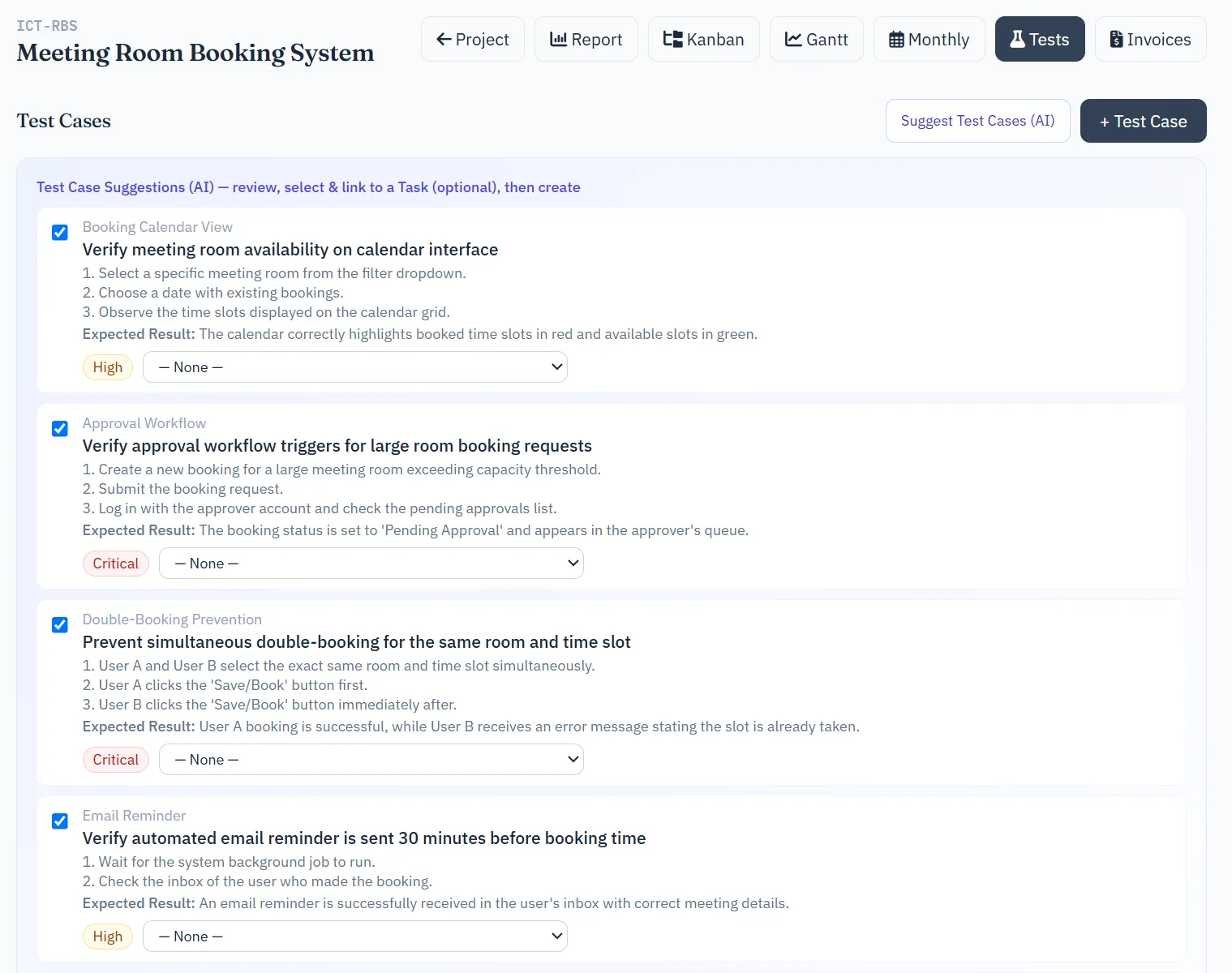
PMs, HODs and CEOs create and edit the test case structure for a project. Anyone with access to the project can view test cases and log a test run against one — recording a pass, fail, or blocked result. Failing a run can log a bug directly against the same test case, keeping the defect tied to exactly the test that found it.
Where enabled, an AI button on a project's test cases page can suggest a first draft of test cases from the project's description and existing tasks, checking against what's already there so it doesn't propose duplicates.
Recurring Tasks
For work that repeats on a schedule — a weekly status update, a monthly report — a recurring task template generates a fresh task automatically on its interval, instead of someone having to remember to create it by hand. Templates can be paused (toggled inactive) without deleting them, and are managed by PMs, Senior Developers, HODs, CEOs and Admins.
Product Backlog
A holding area for ideas and requested features that haven't been scheduled into a project yet. PMs and Admins add items and move them through status (e.g. Proposed Under Review Planned) as priorities firm up, before they graduate into an actual project task.
When an item is ready to move forward, it can be converted into a brand-new task or a whole new project, or — if it turns out to overlap with something already underway — linked to a project or task that already exists, instead of creating a duplicate.
Bug Reports
A quick way to log a defect the moment someone finds one — open to every signed-in user, not just the delivery roles, since spotting a bug isn't limited by role.
A report records a title, the affected product or module, a summary, a full description, and what actually happened versus what was expected, along with a severity and priority. Files — a screenshot, a log excerpt — can be attached directly to the report.
From there, a bug can be converted into a task (pre-filling the new task's description from the report, and requiring a project and assignee), or linked to a task that already exists so it doesn't get tracked twice. Once linked, the bug's status automatically follows that task's status from then on, so there's nothing to keep in sync by hand.
Anyone can edit or delete a bug they reported themselves. Managing someone else's report requires the bug_reports.manage permission, which an administrator can grant per role from Admin Roles.